
CE Deployer
Fully unattended Nutanix Community Edition installs: generate one bootable ISO, boot it and get a ready-to-use cluster, single node or three nodes.
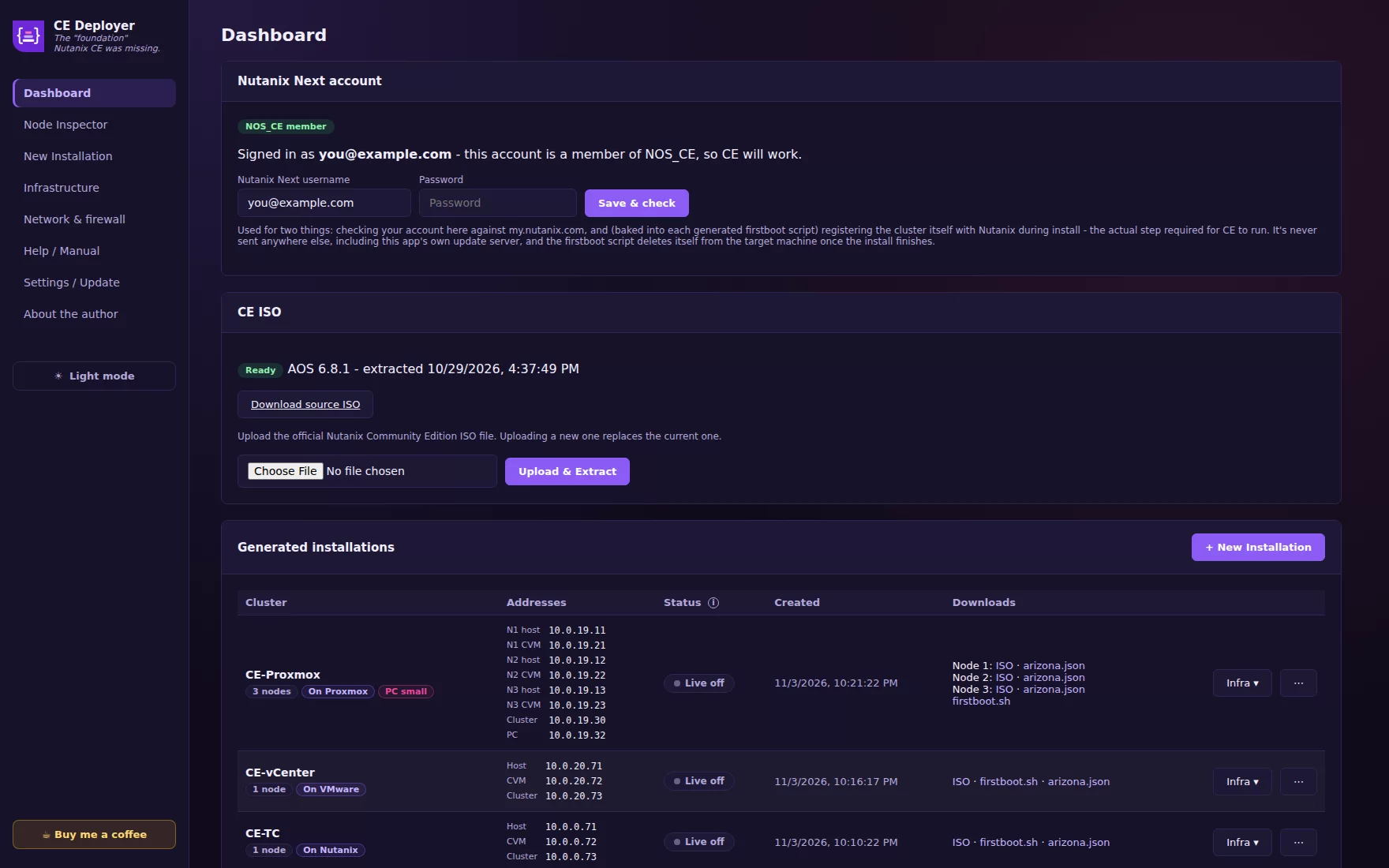
Installing Nutanix Community Edition by hand means clicking through the CE wizard, typing network details at the console and waiting for every step. CE Deployer does all of that for you. Think of it as the Foundation that CE never had.
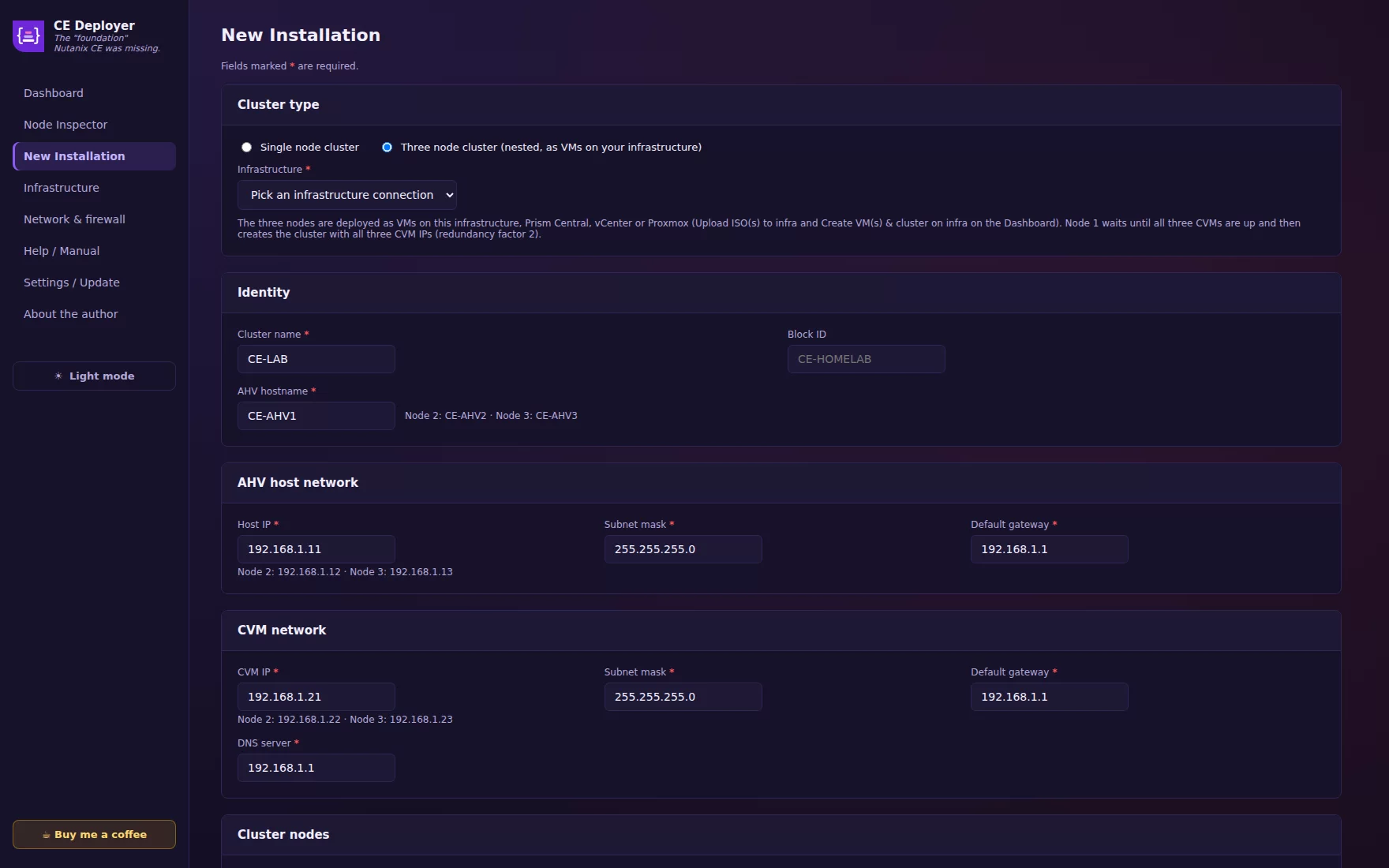
A small Windows app runs a local webserver that hosts your CE ISO, a generated answer file (arizona.json) and a firstboot script. Fill in one form with the cluster name, AHV and CVM networking, disks and optionally Prism Central, then boot the generated ISO and walk away. Phoenix images AHV and the CVM, and cluster creation, storage, NTP and networking configure themselves.
What it does:
- Single node or three node clusters. Nodes 2 and 3 are filled in from node 1.
- Optionally deploys Prism Central, registers it to Prism Element and enables Pulse and Intelligent Operations.
- Deploys CE as nested VMs on Nutanix (Prism Central), VMware vCenter or ESXi, or Proxmox VE with one button, and removes everything it created with another.
- Boots on BIOS and UEFI, from virtual media, a USB stick or a VM.
- Live progress monitoring per node, straight from the target's own logs.
- Includes Node Inspector, a bootable ISO that checks CPU, RAM, disks, virtualization support and NIC speed against CE requirements and shows the disk layout to use.
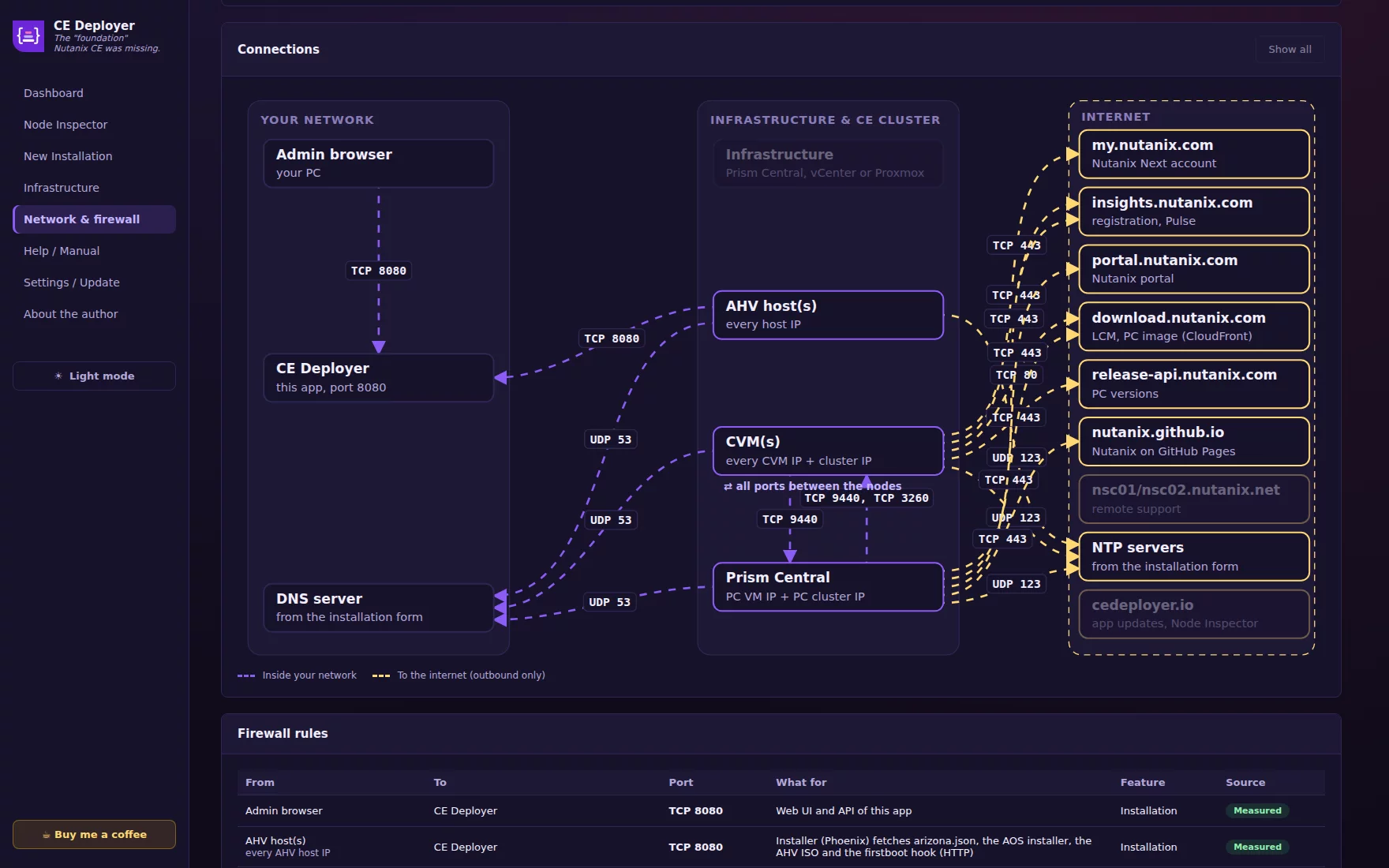
- A network and firewall overview with every port a deployment needs.
What you need: the official CE ISO (downloaded yourself, it is not bundled), a my.nutanix.com account in the NOS_CE group, and a Windows machine to run the app.
- Category
- Automation and scripts
- Author
- Jeroen Tielen
- Published
- Link
- cedeployer.io